


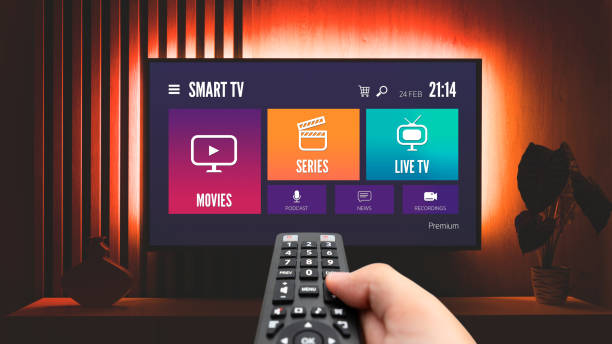
IPTV provides a convenient way to watch television through an internet connection instead of relying only on traditional cable, satellite, or terrestrial reception. In Germany, internet-based television can be accessed through provider platforms, streaming services, Smart TV applications, and compatible streaming devices such as Amazon Fire TV.
The setup process depends on the device and the IPTV or streaming service being used. Amazon’s official Fire TV instructions require a compatible television with an HDMI connection, an internet connection, and an Amazon account for Fire TV Stick setup.
This guide explains the complete IPTV setup for Fire Stick and Smart TV in Germany, including preparation, application installation, account configuration, channel testing, and common troubleshooting steps.
What You Need for IPTV Setup
Before starting, prepare the following:
- Amazon Fire Stick or compatible Fire TV device
- Compatible Smart TV
- Stable internet connection
- Wi-Fi details
- Amazon account for Fire TV
- Legitimate IPTV or streaming-TV subscription
- Official application supported by your provider
- IPTV account login details if required
Not every IPTV service supports every television or streaming device, so checking compatibility before subscribing is important.
IPTV Setup on Fire Stick in Germany
Step 1 Connect the Fire Stick to Your TV
Insert the Fire Stick into an available HDMI port on your television. best iptv for fire stick germany can be explored by Fire Stick users looking for convenient German TV streaming options.
Connect the Fire Stick to its power adapter and plug the adapter into a suitable power outlet. Amazon recommends using the supplied power adapter rather than relying on the television’s USB port for power.
Turn on the television and select the HDMI input connected to the Fire Stick.
Step 2 Connect Fire Stick to Wi-Fi
After turning on the Fire Stick, follow the instructions displayed on the screen.
Select your Wi-Fi network and enter the password.
Amazon also supports a QR-code method for certain Fire TV setup processes, allowing users to configure Wi-Fi with a mobile phone.
A stable connection is particularly important for live TV because video is continuously delivered over the internet.
Step 3 Sign In to Your Amazon Account
The Fire Stick will ask you to sign in or register an Amazon account.
Complete the account setup and follow the remaining on-screen instructions.
Amazon’s current Fire TV setup process includes connecting to Wi-Fi, signing in to an Amazon account, and completing device configuration.
Step 4 Open the Fire TV App Store
Once the Fire Stick is configured, open the application search area.
Amazon allows users to search for applications from the Fire TV main menu and select an available application to download.
Search for the official application supported by your IPTV or streaming provider.
The exact application will depend on the service you have chosen.
Step 5 Install the Official IPTV Application
Select the appropriate application and choose the option to download or install it.
Wait for the installation to finish and then open the application.
For German television, there are also official broadcaster applications available on Fire TV. For example, ARD confirms that the ARD Mediathek is available as a Fire TV application through the Amazon Store.
Step 6 Sign In to Your IPTV Service
Open the installed application and enter the credentials supplied by your legitimate service.
Depending on the platform, you may need:
- Username and password
- Email and password
- Activation code
- QR-code activation
- Account verification
Only enter your login details into the official application or website associated with your service.
Step 7 Configure IPTV Settings
After signing in, open the application settings.
Depending on the service, available options may include:
- Video quality
- Audio language
- Subtitles
- Parental controls
- Favorite channels
- Electronic Program Guide
- Playback preferences
Configure these options according to your viewing requirements.
Step 8 Open the Live TV Section
Return to the application’s main screen and select its live-TV section.
Depending on the subscription, you may see categories for:
- German TV
- News
- Entertainment
- Sports
- Movies
- Documentaries
- Regional channels
- Children’s programming
The actual channel lineup depends on the provider and its content rights.
IPTV Setup on Smart TV in Germany
Many modern televisions already have internet connectivity and application stores, making it possible to use compatible streaming services without a separate Fire Stick.
Step 1 Check Smart TV Compatibility
First identify your television’s:
- Manufacturer
- Model
- Operating system
- Model year
Then check whether your chosen IPTV or streaming service supports that platform.
Common Smart TV platforms include Samsung, LG, Android TV, Google TV, and other manufacturer-specific systems.
Step 2 Connect the Smart TV to the Internet
Open your television’s network settings.
Connect the TV to your Wi-Fi network or, where supported, connect it through Ethernet.
A wired connection can be useful when the television experiences inconsistent Wi-Fi performance.
Step 3 Open the TV’s Official App Store
Open the application store available on your Smart TV.
Search for the official application supported by your chosen IPTV or streaming provider.
The application must be compatible with your particular TV platform.
Step 4 Install the Application
Select the official application and choose the installation option.
Wait until installation has completed.
Avoid installing unknown applications from untrusted sources simply because they claim to provide a large number of television channels.
Step 5 Sign In
Launch the application and enter your account information.
Follow the provider’s instructions if activation is required.
Once authentication is complete, you should be able to access the features included with your subscription.
Step 6 Configure the Channel Guide
If your service includes an Electronic Program Guide, open it and check the available German programming.
An EPG can make it easier to find current and upcoming programs without opening every channel individually.
Step 7 Test Live TV
Select several channels and check:
- Loading speed
- Picture quality
- Audio synchronization
- Channel switching
- Playback stability
Testing several channels can help determine whether a problem is specific to one stream or affects the entire service.
Using Official German TV Applications
IPTV setup does not necessarily mean using a third-party IPTV subscription.
German broadcasters and streaming platforms also offer official internet-based services.
For example, ARD states that its programming can be received through IPTV and also lists streaming services such as Zattoo, waipu.tv, and Joyn among the available internet-based options.
ARD also provides the ARD Mediathek on multiple television and streaming platforms, including Fire TV, Android TV, Apple TV, and supported TV application platforms.
This means viewers can choose between different legitimate approaches depending on the channels and content they want.
How to Improve IPTV Performance
Use a Reliable Internet Connection
Live streaming depends heavily on network stability.
If your connection repeatedly drops or becomes congested, IPTV playback can pause or buffer.
Place the Router Appropriately
If you use Wi-Fi, distance and physical obstacles can affect signal quality.
Positioning the router closer to the television or Fire Stick can improve connectivity in some home environments.
Consider Ethernet
If your Smart TV or streaming setup supports Ethernet, a wired connection can be useful when Wi-Fi is unreliable.
Reduce Other Network Activity
Large downloads, cloud backups, online gaming, and other video streams can compete for available bandwidth.
Temporarily reducing these activities can help identify whether network congestion is contributing to buffering.
Keep Applications Updated
Install official application updates when available.
Also keep the Fire TV or Smart TV operating system updated according to the manufacturer’s instructions.
Troubleshooting IPTV on Fire Stick
The IPTV App Cannot Be Found
Check whether the application is available for your Fire TV model and region.
Not every application is compatible with every Fire TV device.
The App Will Not Install
Check your internet connection and available device storage.
If the application is unavailable in your region, check the provider’s official documentation for supported alternatives rather than downloading an unknown application.
IPTV Keeps Buffering
Try the following:
- Restart the Fire Stick.
- Restart the router.
- Check Wi-Fi signal strength.
- Reduce other network traffic.
- Test another channel.
- Check whether the provider reports a service issue.
- Use Ethernet if available.
Channels Do Not Load
First check whether the problem affects one channel or the entire channel list.
If only one channel fails, the issue may be associated with that particular stream.
If many channels fail, check your subscription status, application configuration, and internet connection.
Picture Quality Is Poor
Check the application’s video settings and your network connection.
The available quality can also depend on the provider, individual channel, subscription, device, and television.
Troubleshooting IPTV on Smart TV
Application Crashes
Restart the application and television.
If the problem continues, check for application and TV software updates.
Application Is Not Compatible
Check the provider’s supported-device list.
If the service does not support your TV platform, you may need to use a supported streaming device such as a compatible Fire TV device.
No Audio
Check the television volume and mute settings.
Then check the application’s audio settings and test another channel.
EPG Is Not Updating
Restart the application and check your internet connection.
If the problem affects the entire guide, contact the service provider.
Fire Stick or Smart TV Which Setup Is Better?
The answer depends on your television and preferred viewing method.
A Smart TV can be convenient because the television already includes an operating system and application platform.
A Fire Stick can be useful when the television does not support a particular application or when you prefer the Fire TV interface.
Using a separate streaming device can also allow you to change the streaming hardware without replacing the television.
Legal and Security Considerations
IPTV technology itself is a method of delivering television through an internet connection. The important consideration is whether a particular service has authorization to distribute the content it provides.
In Germany, legitimate IPTV and streaming options are available from established providers and broadcasters. ARD describes IPTV as a way to receive television programming through internet connections and identifies several established IPTV and streaming options.
When choosing a service, look for:
- Clear company information
- Transparent pricing
- Official applications
- Clearly identified channels
- Customer support
- Clear subscription terms
- Appropriate content distribution rights
Avoid entering account credentials into suspicious applications or downloading unknown software simply because it promises access to an unusually large number of premium channels.
Frequently Asked Questions
Can I set up IPTV on a Fire Stick in Germany?
Yes. A compatible Fire Stick can run supported streaming applications. The exact application and available channels depend on the service and device compatibility.
Can I install IPTV directly on a Smart TV?
Yes, when your Smart TV platform supports the provider’s official application. The installation process normally involves opening the TV’s official app store, finding the compatible application, and signing in.
Do I need a Fire Stick if I already have a Smart TV?
Not necessarily. If your Smart TV supports the application you want to use, you may be able to stream directly through the television.
Can I use Fire Stick with any Smart TV?
A compatible television needs an available HDMI connection for a Fire TV Stick. Amazon lists an HDMI-equipped TV as one of the basic requirements for Fire TV Stick setup.
Can I watch German channels through IPTV?
Yes, legitimate IPTV and streaming services can provide German television programming. The exact channels depend on the provider and subscription.
Can I watch ARD on Fire TV?
Yes. ARD confirms that the ARD Mediathek is available as a Fire TV application through the Amazon Store.
Why is my IPTV buffering?
Buffering can be caused by unstable Wi-Fi, network congestion, application problems, device performance, or an issue with the individual stream.
Is Ethernet better than Wi-Fi for IPTV?
Ethernet can provide a more consistent connection when Wi-Fi is weak or unstable. However, a strong and stable Wi-Fi connection can also work well for streaming.
Can I use the same IPTV account on Fire Stick and Smart TV?
That depends on the provider’s subscription terms. Some services support multiple devices, while others restrict the number of registered or simultaneous devices.
Can I watch IPTV in HD?
Many legitimate services provide HD content, but the available quality depends on the provider, channel, subscription, device, and internet connection.
Can I use IPTV while travelling?
This depends on the service’s terms, geographic availability, and content licensing. Check the provider’s current conditions before travelling.
Conclusion
Setting up IPTV on a Fire Stick or Smart TV in Germany can be straightforward when the device, application, internet connection, and streaming service are compatible.
For a Fire Stick, the basic process is to connect the device to the TV, connect it to Wi-Fi, sign in to Amazon, install the official compatible application, log in to the streaming service, and configure the channel settings. Amazon’s current setup documentation confirms these basic Fire TV steps.
For a Smart TV, the process is usually even simpler because the television already has internet connectivity and an application platform. Users can connect the TV to the internet, install a compatible official application, sign in, and begin watching available programming.
For the best experience, use legitimate services, official applications, a stable internet connection, and a device that is fully compatible with your chosen German TV service.
